3.4. vsftpd-ssl
3.4.1. 安装vsftpd
1[root@centos-7 vsftpd]$yum install vsftpd -y
3.4.2. 修改配置项
配置文件中加入下面配置参数,
注意
vsftpd.pem 路径和对应的生成的文件路径应该一致。
 1[root@centos-7 vsftpd]$vim vsftpd.con
 2########################################################################
 3#  创建完毕后自己的配置
 4########################################################################
 5
 6ssl_enable=YES
 7allow_anon_ssl=NO
 8force_local_logins_ssl=YES
 9force_local_data_ssl=YES
10rsa_cert_file=/etc/pki/tls/certs/vsftpd.pem
修改后的配置文件内容:
 1[root@zzjlogin ~]# cat /etc/vsftpd/vsftpd.conf
 2anonymous_enable=YES
 3anon_mkdir_write_enable=NO
 4anon_upload_enable=NO
 5chroot_local_user=YES
 6local_enable=YES
 7xferlog_enable=YES
 8xferlog_std_format=YES
 9xferlog_file=/var/log/vsftpd.log
10vsftpd_log_file=/var/log/vsftpd.log
11write_enable=YES
12local_umask=022
13dirmessage_enable=YES
14connect_from_port_20=YES
15listen=YES
16pam_service_name=vsftpd
17userlist_enable=YES
18tcp_wrappers=YES
19ftp_data_port=2000
20ssl_enable=YES
21allow_anon_ssl=NO
22force_local_logins_ssl=YES
23force_local_data_ssl=YES
24rsa_cert_file=/etc/pki/tls/certs/vsftpd.pem
3.4.3. 创建证书和私钥文件
注意
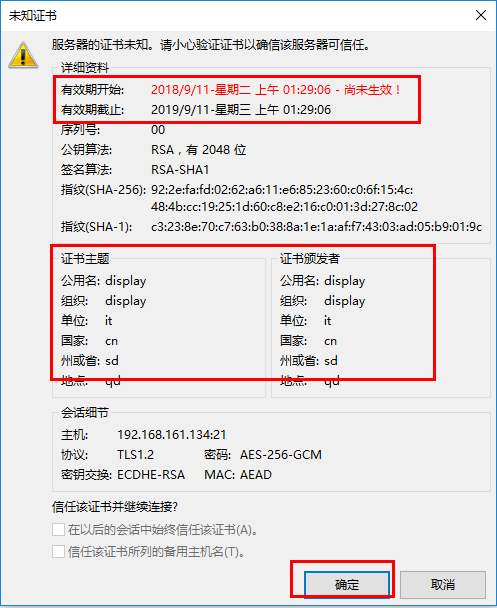
因为是自己创建的,所以一般如果用更浏览器访问ftp,会提示不安全。就是因为证书不是可信的。不过没有关系。
创建整数密钥文件
 1[root@centos-7 certs]$cd /etc/pki/tls/certs/
 2root@centos-7 certs]$make vsftpd.pem
 3umask 77 ; \
 4        PEM1=`/bin/mktemp /tmp/openssl.XXXXXX` ; \
 5        PEM2=`/bin/mktemp /tmp/openssl.XXXXXX` ; \
 6        /usr/bin/openssl req -utf8 -newkey rsa:2048 -keyout $PEM1 -nodes -x509 -days 365 -out $PEM2 -set_serial 0 ; \
 7        cat $PEM1 >  vsftpd.pem ; \
 8        echo ""    >> vsftpd.pem ; \
 9        cat $PEM2 >> vsftpd.pem ; \
10        rm -f $PEM1 $PEM2
11Generating a 2048 bit RSA private key
12..+++
13.........................+++
14writing new private key to '/tmp/openssl.kQloxz'
15-----
16You are about to be asked to enter information that will be incorporated
17into your certificate request.
18What you are about to enter is what is called a Distinguished Name or a DN.
19There are quite a few fields but you can leave some blank
20For some fields there will be a default value,
21If you enter '.', the field will be left blank.
22-----
23Country Name (2 letter code) [XX]:cn
24State or Province Name (full name) []:sd
25Locality Name (eg, city) [Default City]:qd
26Organization Name (eg, company) [Default Company Ltd]:display
27Organizational Unit Name (eg, section) []:it
28Common Name (eg, your name or your server's hostname) []:*.display
29Email Address []:
查看创建的文件
1[root@centos-7 certs]$ll
2总用量 1772
3-rw-r--r--. 1 root root  786601 7月  14 2014 ca-bundle.crt
4-rw-r--r--. 1 root root 1005005 7月  14 2014 ca-bundle.trust.crt
5-rwxr-xr-x. 1 root root     610 10月 15 2014 make-dummy-cert
6-rw-r--r--. 1 root root    2242 10月 15 2014 Makefile
7-rwxr-xr-x. 1 root root     829 10月 15 2014 renew-dummy-cert
8-rw-------. 1 root root    2982 9月  10 21:18 vsftpd.pem
3.4.4. 测试
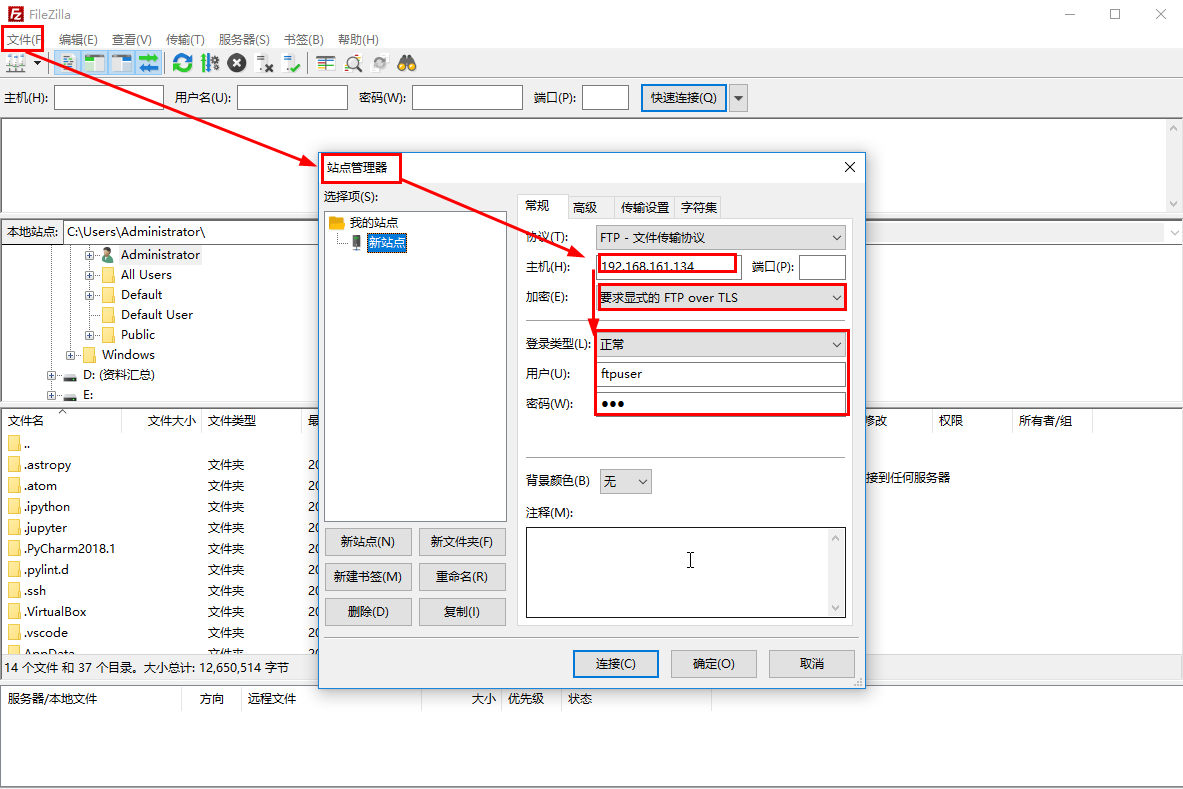
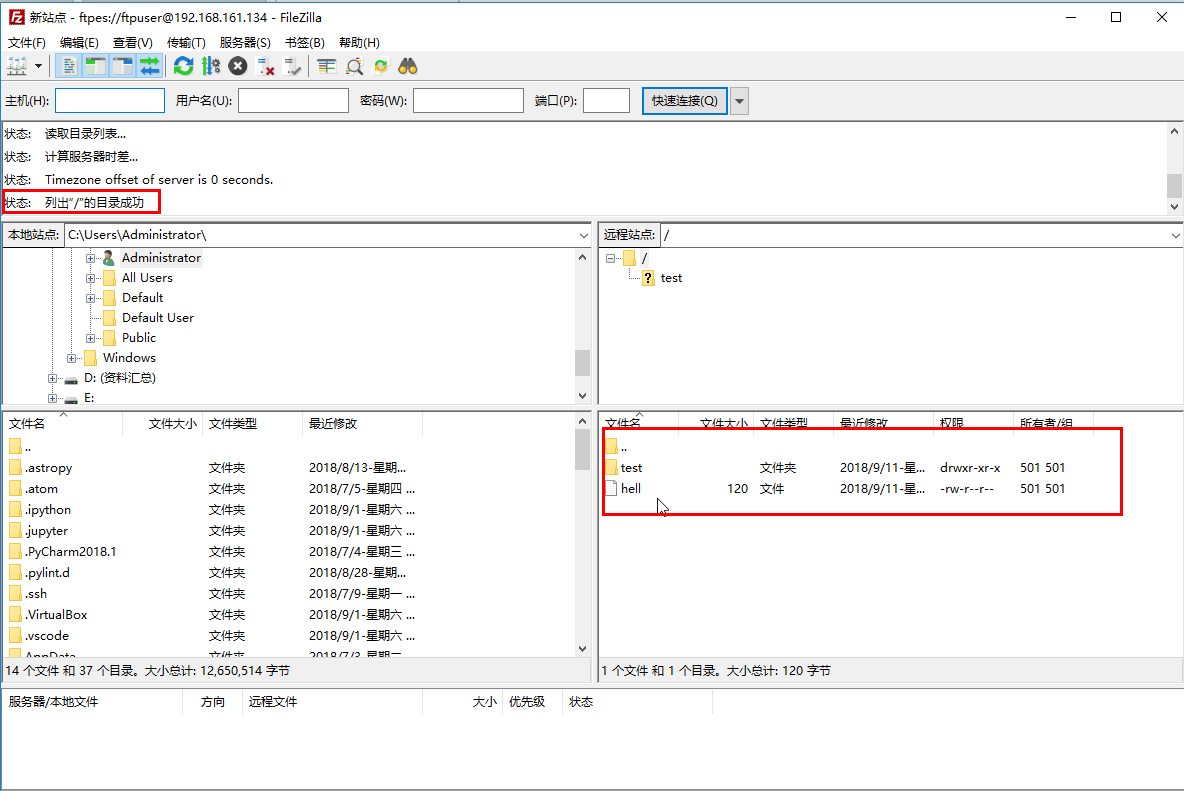
这里在windows环境下使用 filezilla 软件进行测试。